From production, equipment, quality, and cost to HR and cash flow, WOOJOO Special Industry Co., Ltd. built and runs this in-house system to manage the entire factory and business digitally. Because a manufacturer that knows the floor kept using and growing it, it contains only the features actually used every day — and it keeps expanding. The system is split into 4 operator groups on the floor and 11 manager menus, and extends to a Partner Portal our suppliers and customers use directly. It supports Korean, English, and Russian, so it works as-is on a floor with many foreign workers.
Output by process, defect PPM, progress by time slot, and a model × process matrix are shown live on the factory TV. Data entered by operators flows straight to the manager and floor screens, and the display cycles automatically through live production → safety record board → previous-day output → previous-day quality.
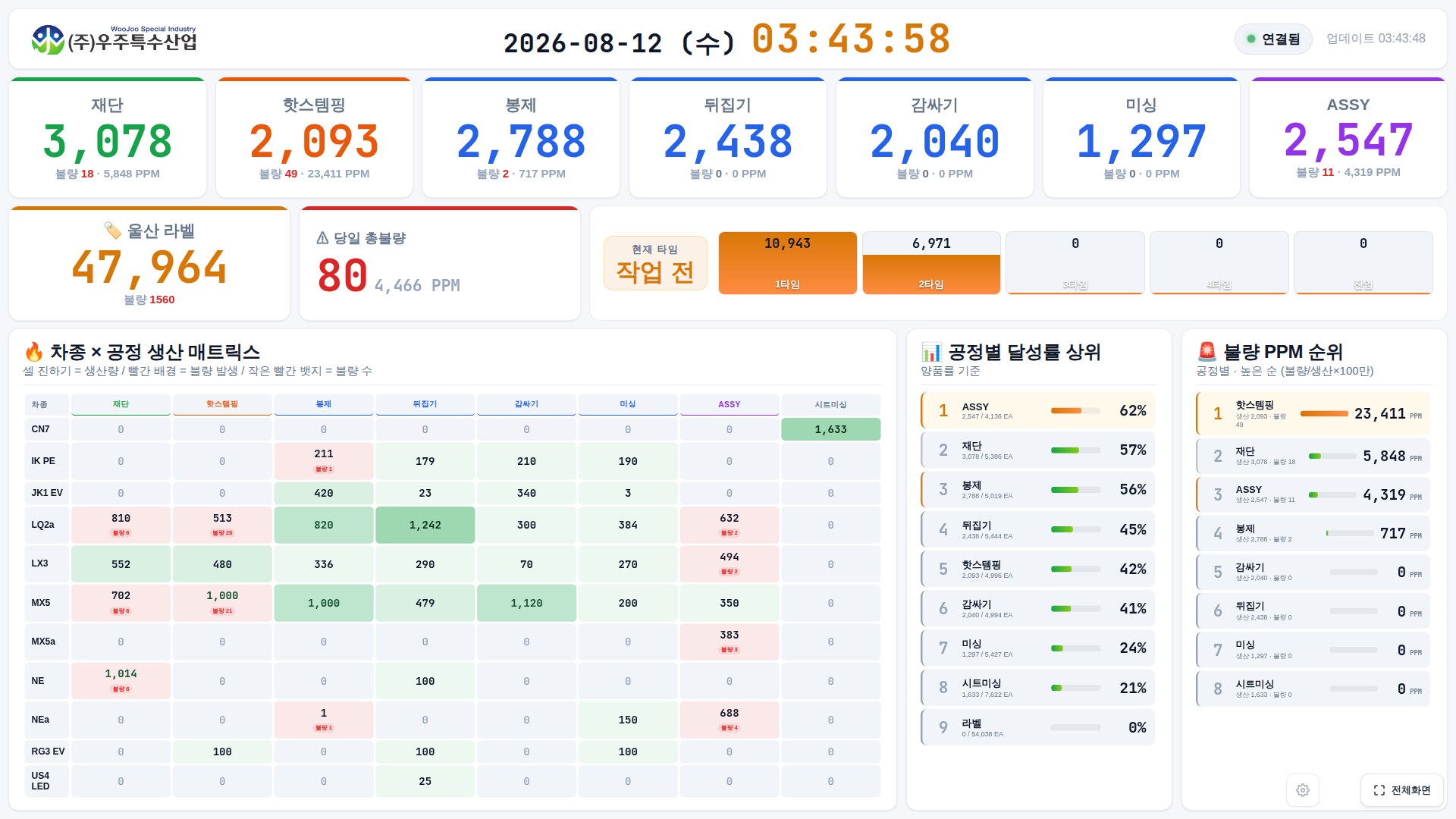
▲ Real-time production dashboard for the factory TV — 4 screens on auto-rotation (click an image to enlarge)
Shop-floor operators enter data quickly and easily on a phone or tablet, while managers gather that data to manage and analyze it at a glance. A single dataset flows naturally across both screens.
Pick a process and the part number is set automatically; register quantity and defects in a few taps. Quality self-inspection and attendance/leave requests are handled right on the floor too.
From the live dashboard to quality, cost, and cash flow — factory operations and business management in one system.
An operator-only screen optimized for phones and tablets. It supports Korean, English, and Russian, so foreign workers can use it as is. Below are the actual operator screens; click an image to enlarge.
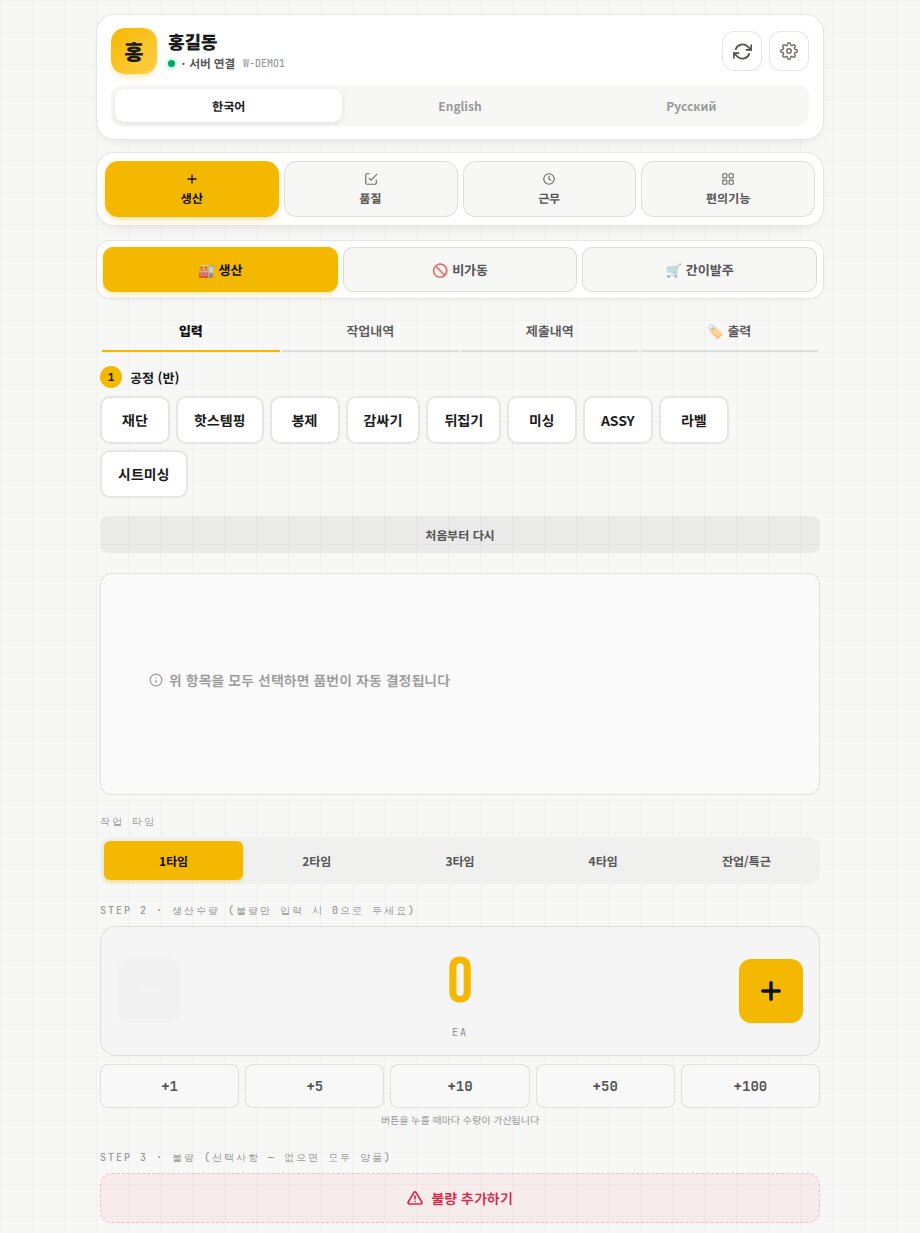
Just pick the process (Cutting, Hot Stamping, Sewing, Wrapping, Turning, Machine sewing, Assembly, Label, Seat sewing) and the part number is set automatically. Register quantity and defects by time slot on the spot.
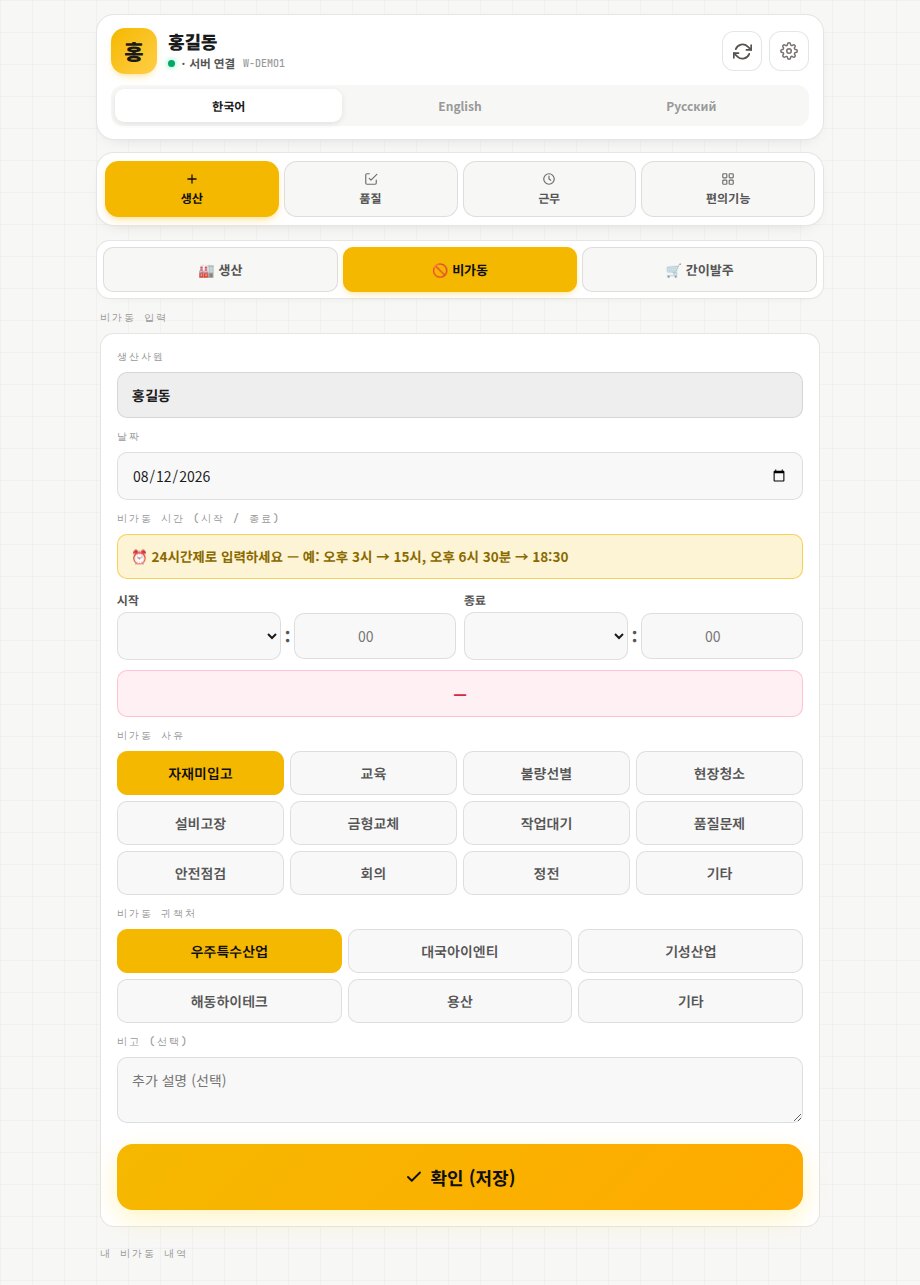
Log reasons such as equipment failure, missing materials, or mold changes along with start and end times, capturing equipment loss as data.
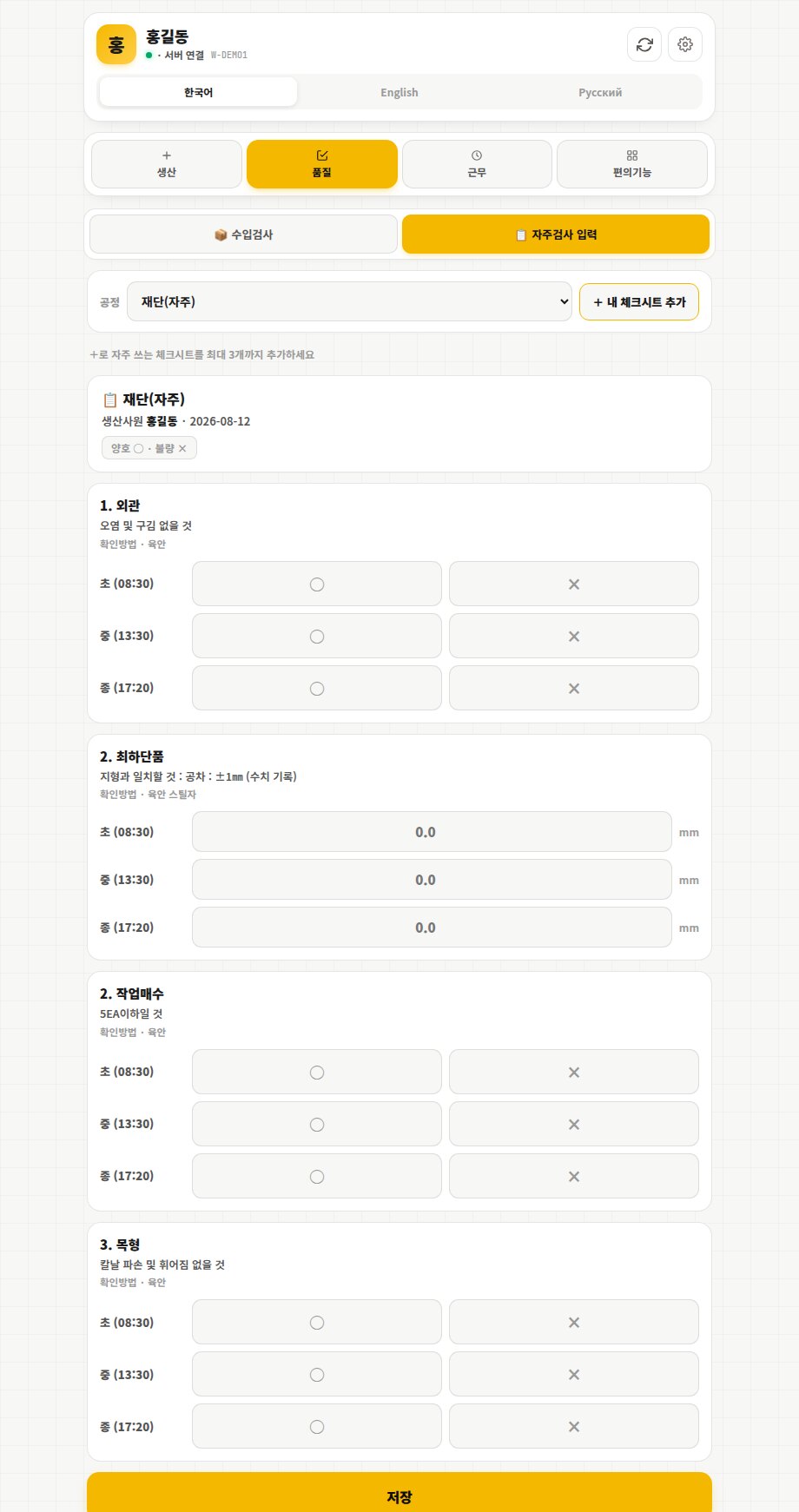
Inspection items per process are recorded as first (08:30), middle (13:30), and last piece (17:20) judgments and measured values. Frequently used checksheets can be pinned to your own list.
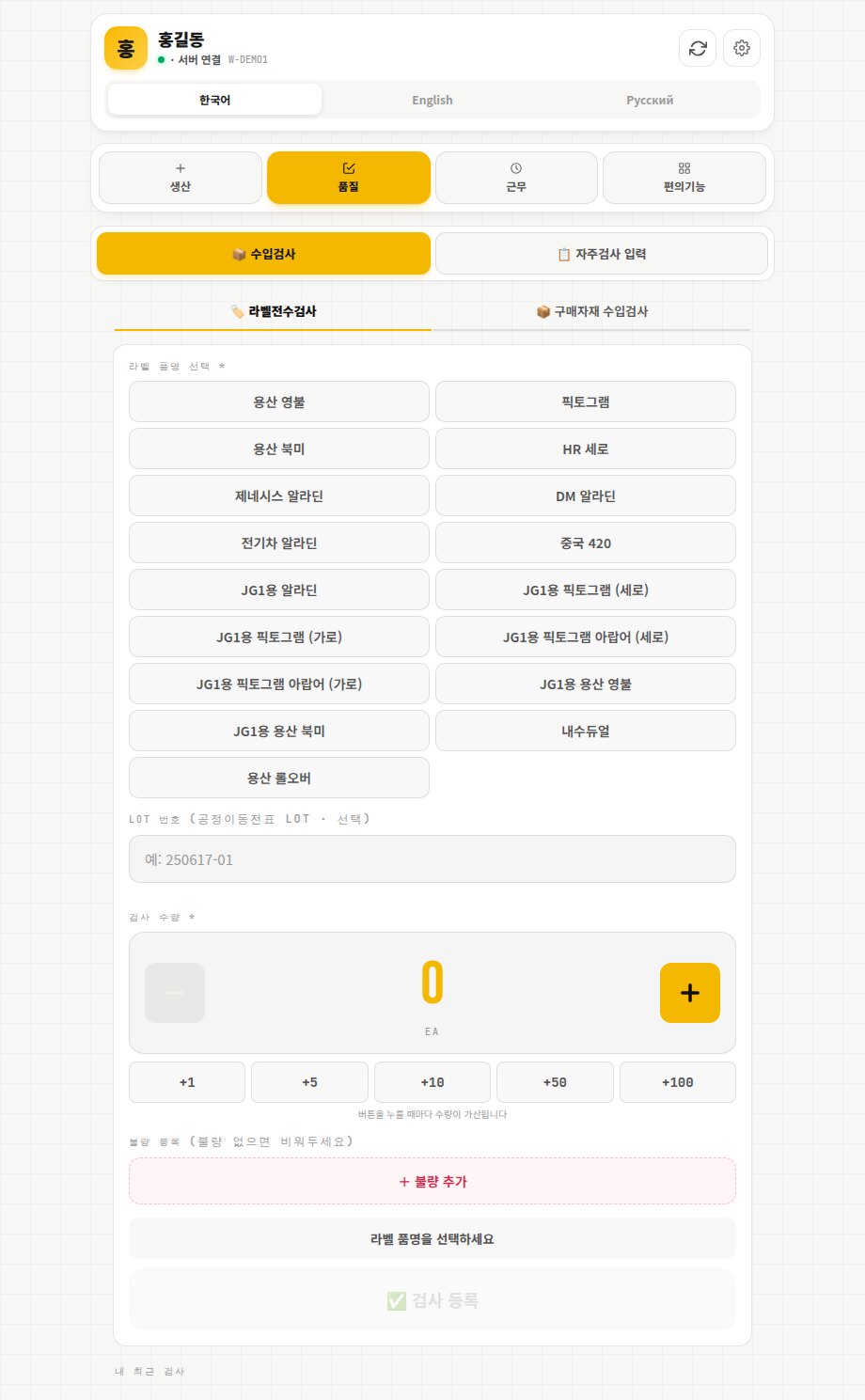
Register full label inspection and purchased-goods receiving inspection by item name, LOT, quantity, and defects.
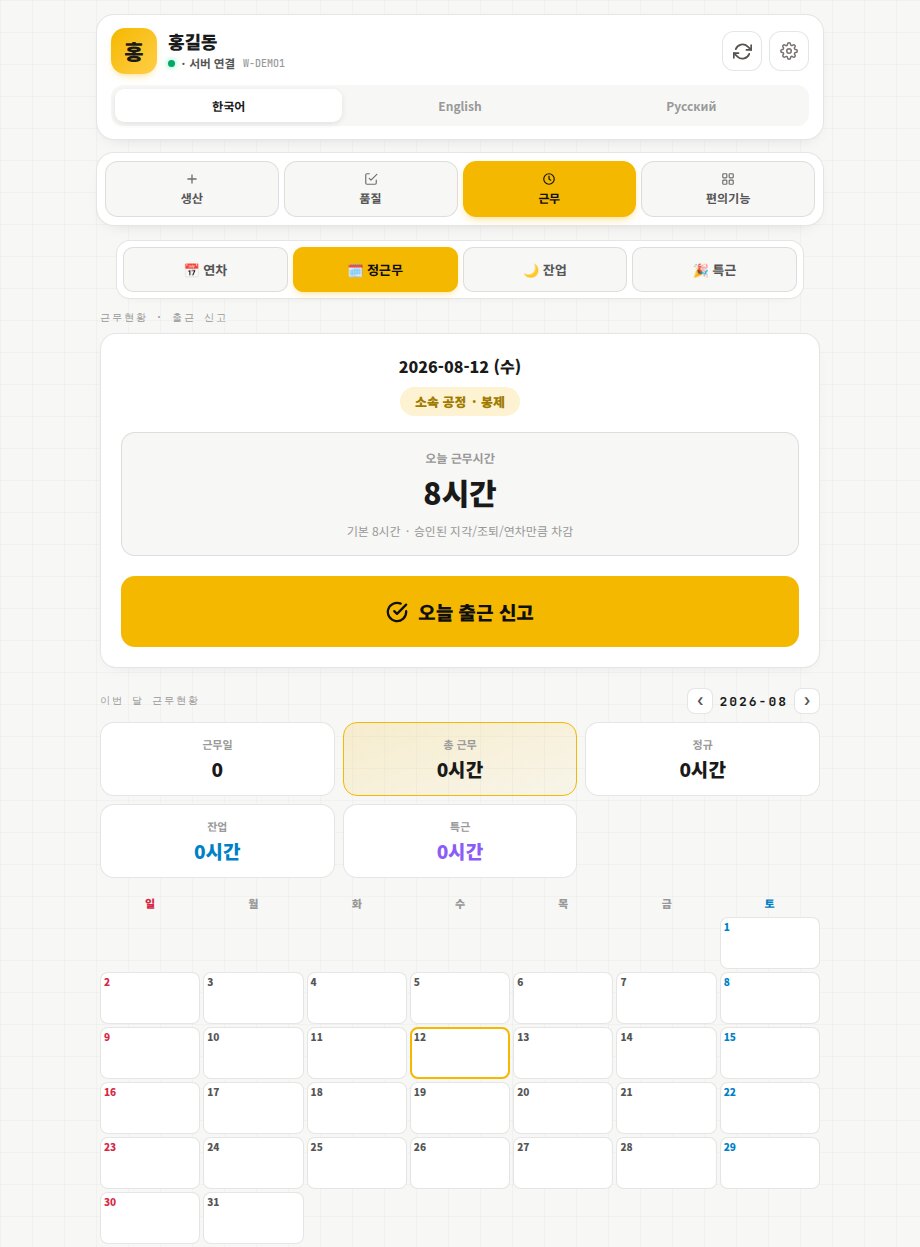
Clock in for the day and check regular, overtime, and special-shift hours on a calendar. Leave, late arrival, and early leave requests are on the same screen, and a missing clock-in or clock-out is flagged automatically.
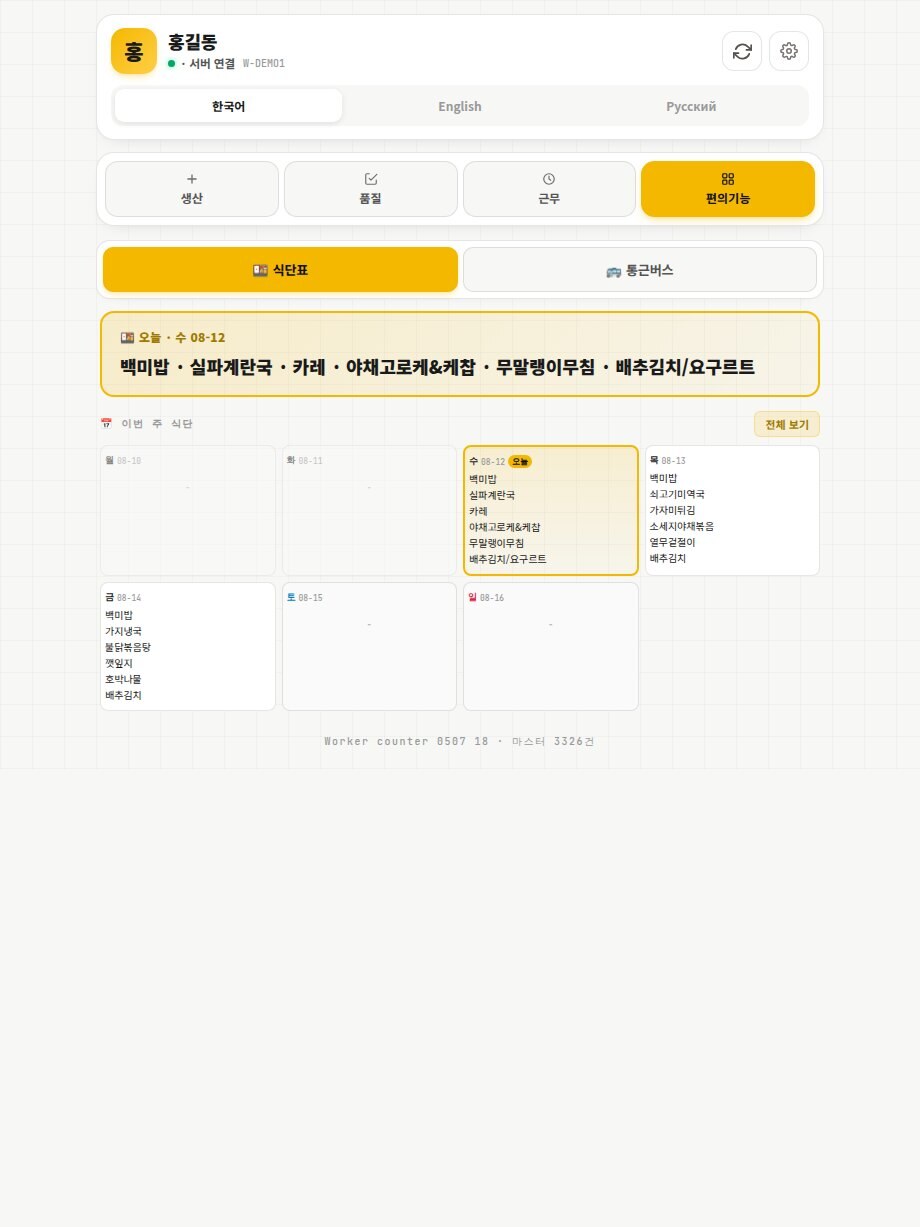
Check the weekly cafeteria menu and the shuttle bus's live location and estimated arrival time.
Data entered by operators is aggregated on the manager screen in real time. Production, quality, cost, and planning are all managed in one system. Below are the actual manager screens.
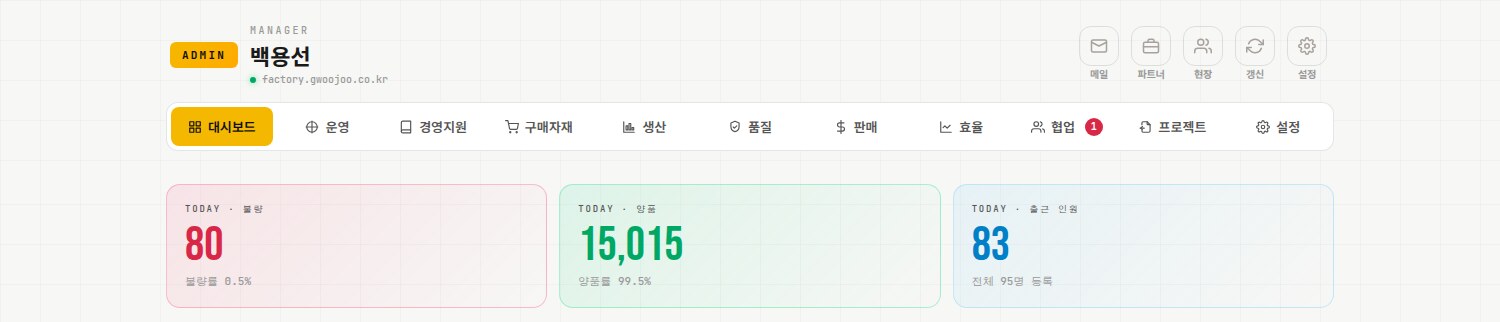
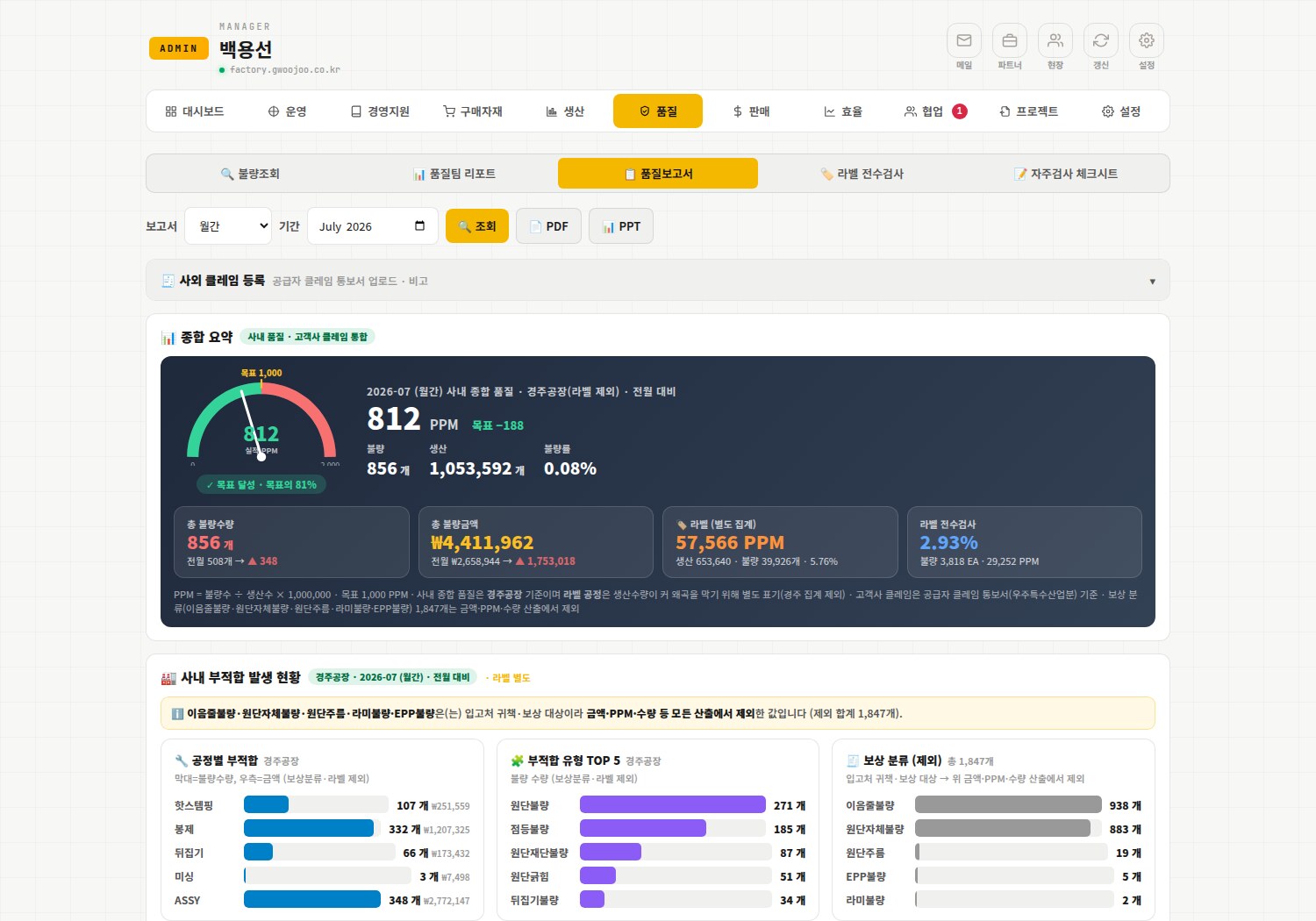
Automatically aggregates internal nonconformities, full label inspection, claims, and incoming inspection into an overall PPM gauge plus analysis by process, type, model, and time slot. Save to Excel, PDF, or PPT.
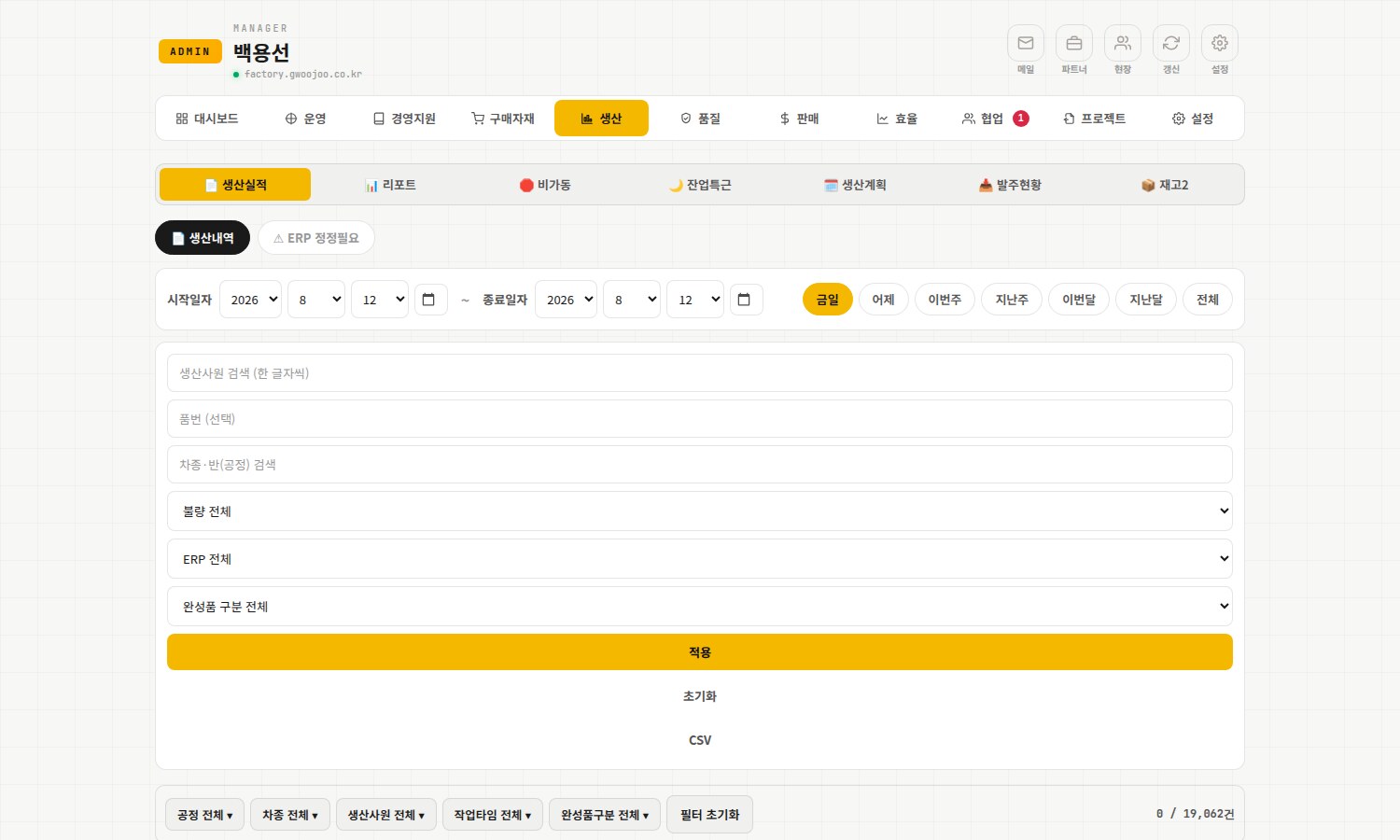
Query records by date, operator, part number, process, defects, and ERP conditions, with defect redirect, ERP (eCount) integration, and CSV export.
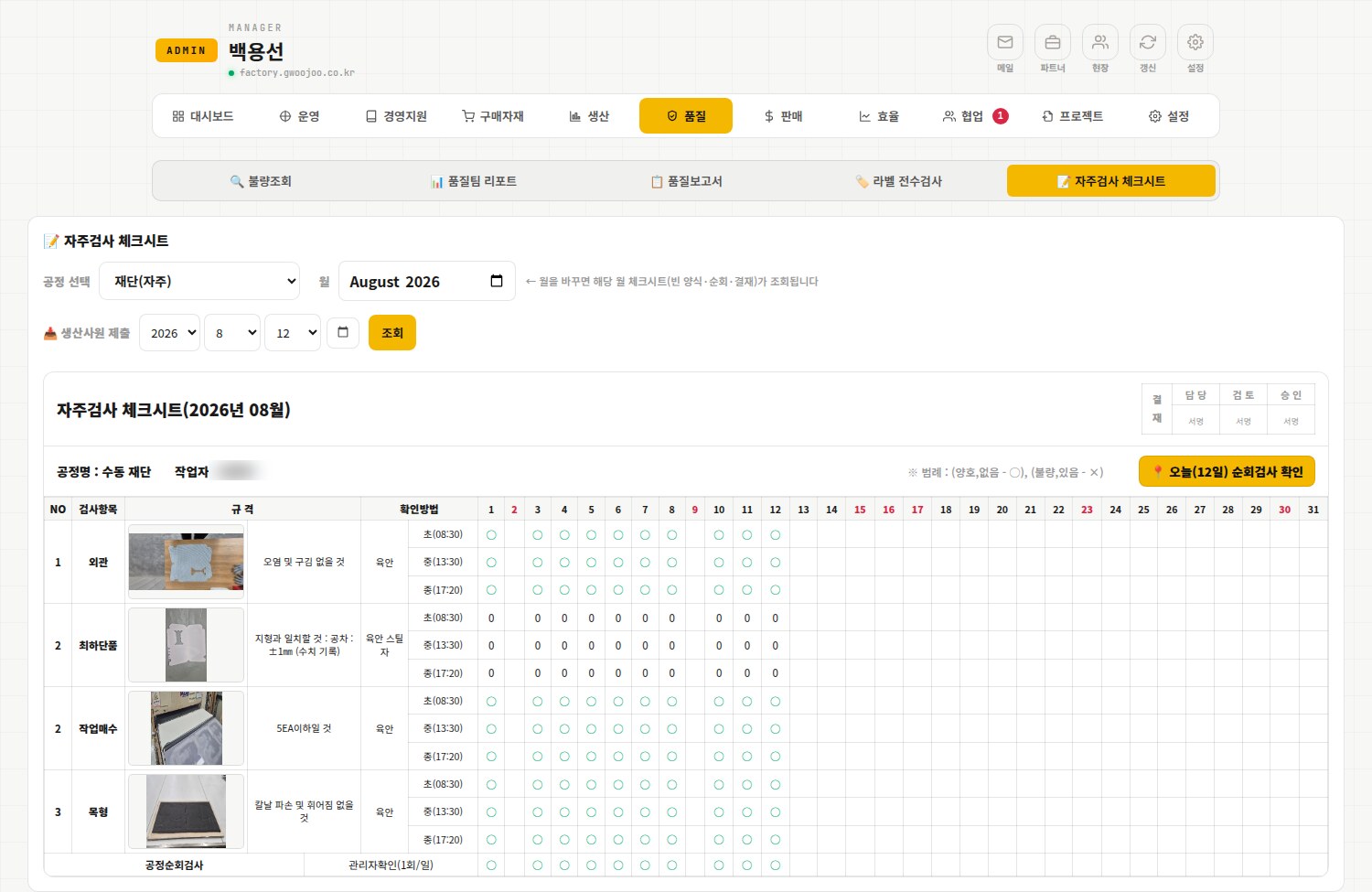
First/middle/last piece judgments entered by operators are compiled automatically into the monthly checksheet form — inspection criteria, photos, approval block, and patrol inspection included, ready to submit directly for a customer quality audit.
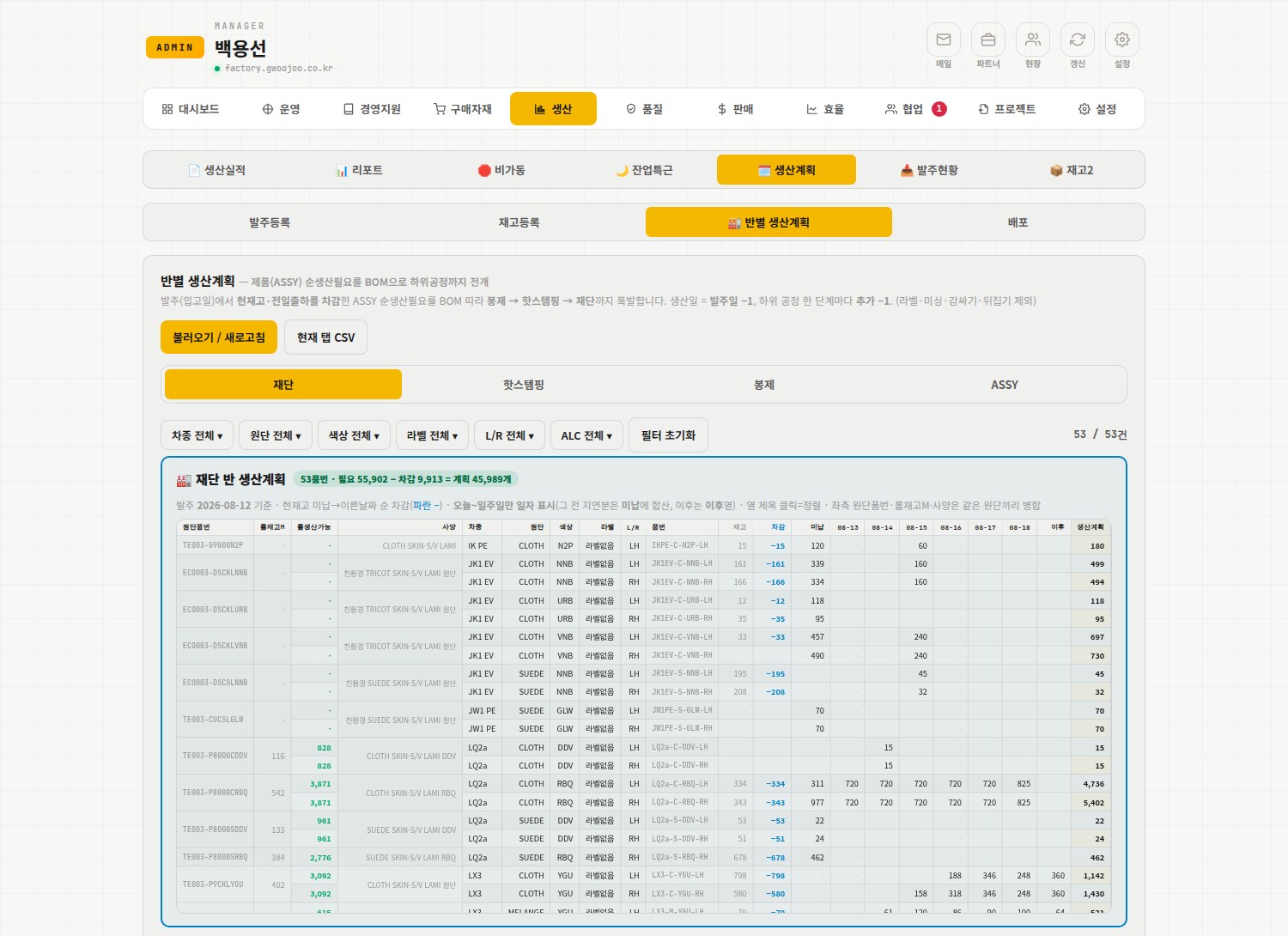
Net production demand — customer orders less current stock and shipments — is exploded through the BOM from sewing to hot stamping to cutting, with each process stage pulled one day earlier, producing an automatic plan by team and by date.
We couldn't fit everything into the screenshots, but in practice the features below all run within a single system.
Calculate cost and profit using material close (theoretical usage of fabric, PAD, pivot, mirror) and cutting's actual usage against standard unit prices.
Register sales and purchases and run monthly close (income statement, manufacturing cost, balance sheet) to track profit flow.
Use a multi-level bill of materials (BOM) to calculate material requirements and detailed analysis per part number.
Aggregate operator-entered downtime by reason, equipment, and responsible party to analyze losses.
Consolidate customer orders into a finalized production plan and distribute it by owner.
Manage new-model development and mass-production schedules (APQP) and project progress on a calendar.
Manage government support programs and initiatives together with their schedules and budgets.
Register and sync master data for parts, models, processes, and warehouses to keep data consistent.
Exchange requests between teams as inbound and outbound items and track their status.
Enter visiting-customer details to instantly generate a custom welcome screen for the lobby or TV.
Send production records to eCount ERP so inventory and vouchers are updated without double entry.
Upload bank transactions to diagnose the cash position and project the running balance for the next two months using recurring fixed costs.
Bank spending and corporate card records are auto-classified by category and merchant, recurring charges detected and fed into a savings plan.
Manage balances and terms by bank in one place to plan repayment.
Apply direct/agency hourly rates to actual attendance hours to project labor cost by date.
Split standard work by process into setup, motion, and teardown to derive standard time, labor cost per unit, and daily output, with before/after reduction rates versioned.
Compare agency dependence by process against the real direct-labor unit cost to guide staffing.
Match actual fabric used (m) in cutting against theoretical use × standard price to quantify loss.
Enter sales manually or upload from Excel, then aggregate by customer and part number.
Suppliers and customers sign in with their own accounts to submit order requests, confirm closings, and raise inquiries.
Track the annual business plan against results to manage goal attainment (restricted access).
Keep company rules, forms, and certificates in one place, viewable from the floor.
Aggregate daily meal counts for cafeteria ordering and cost settlement.
Factory WOOJOO isn't an off-the-shelf solution we bought. WOOJOO Special Industry developed it in-house and has grown it by using it every day across two plants. Real shop-floor data flows straight into production, quality, cost and attendance, and features keep being added as we need them. Building our own tools to run the floor is part of our manufacturing capability.
We build only the features genuinely needed from an operator's perspective, and use them every day across our Ulsan and Gyeongju plants.
Issues found while using it are reflected right away, so the system keeps growing together with the shop floor.
Korean, English and Russian are supported, so it works as-is at sites with many foreign workers.